
You can now hand your fax server to an AI assistant. We published ictfax-mcp, a small open source server that speaks the Model Context Protocol, so a tool like Claude can list your fax transmissions, check whether one went through, and, when you let it, send a fax from a document on your machine. It is on npm and GitHub today, and you run it with one command.
What it does
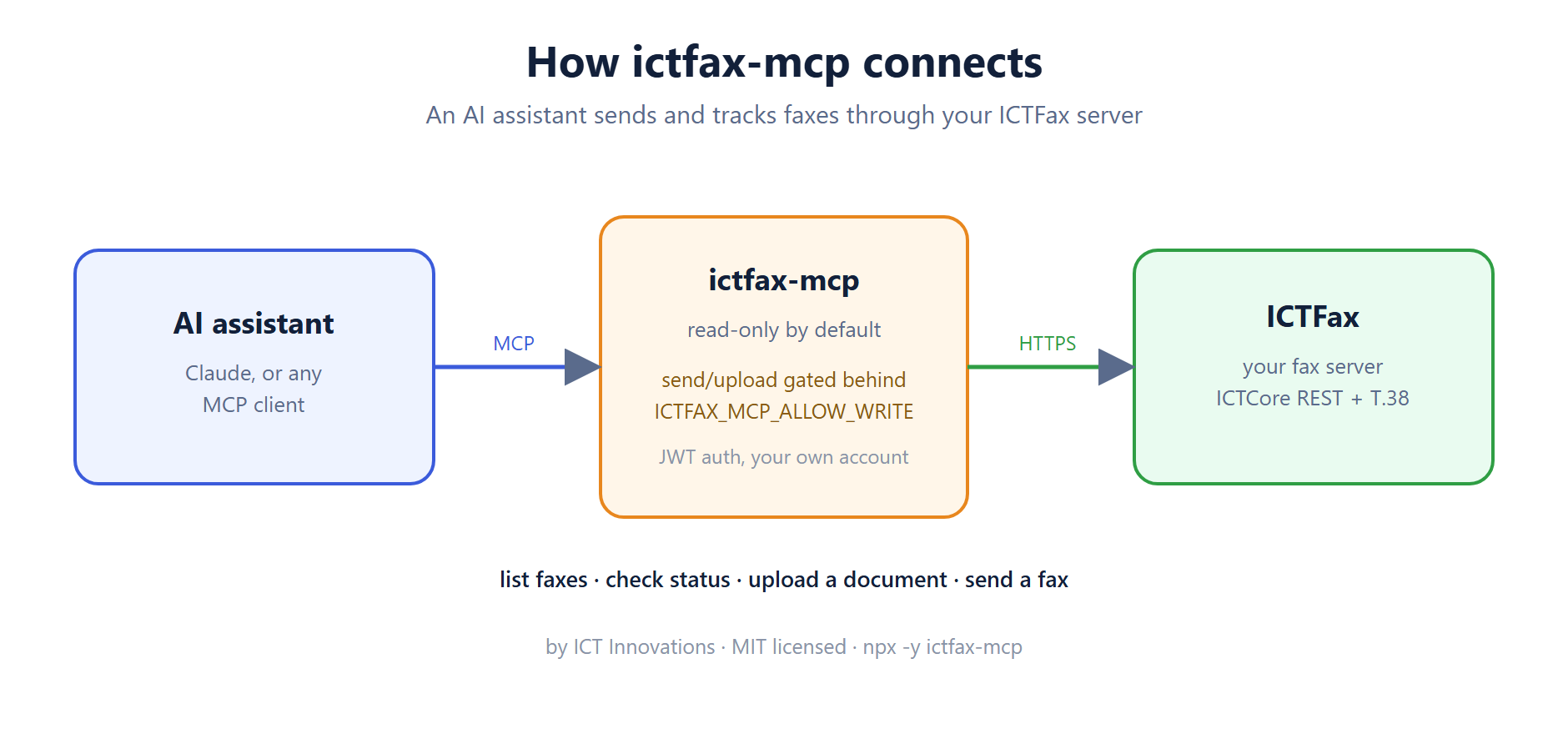
An MCP server hands an AI assistant a set of tools it can call on its own. ictfax-mcp gives it four. Two are read-only and always on: list the fax transmissions on your server, and get the status of a single one so you can see if it is processing, delivered, or failed. The other two change things, so they stay off until you turn them on: upload a document, and send a fax.
Sending a fax, in one call
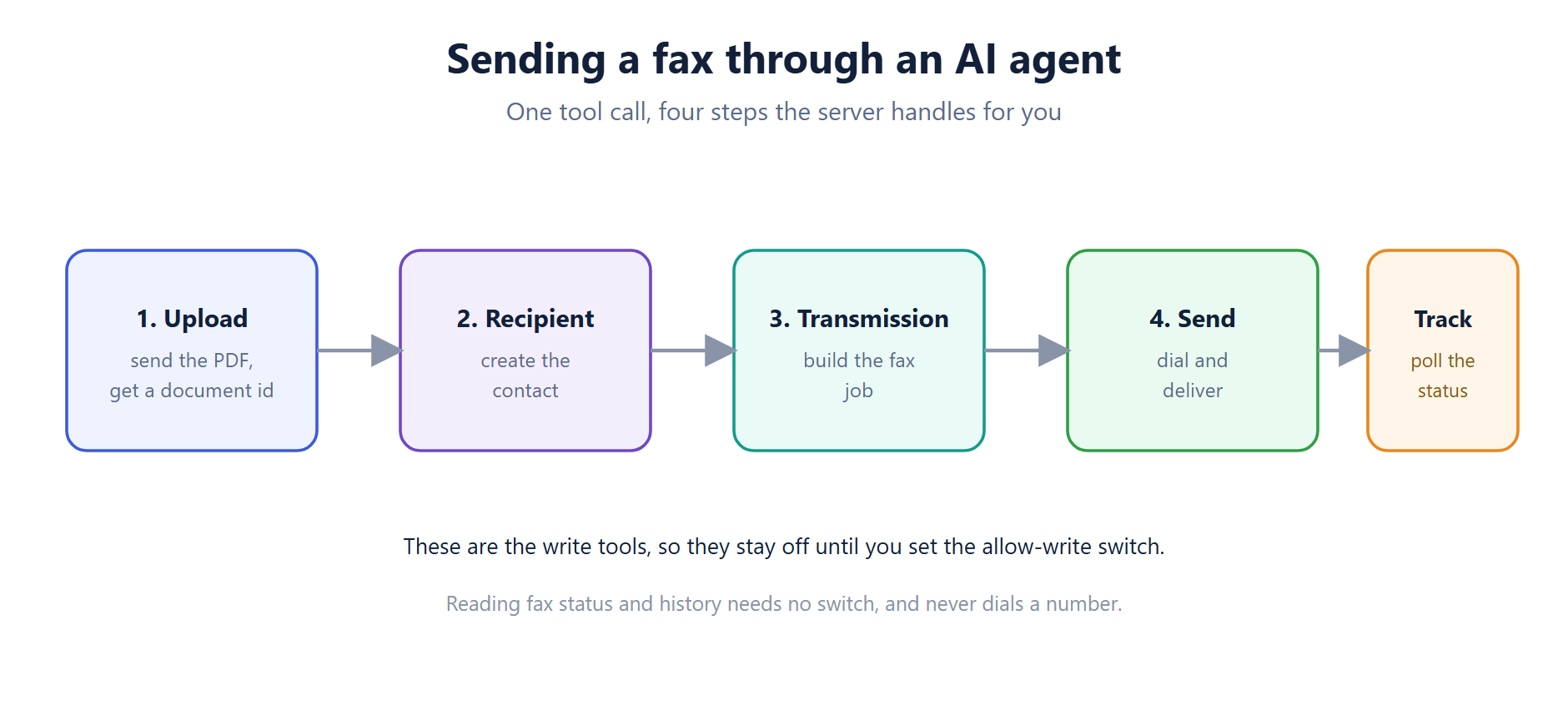
Ask the assistant to fax a PDF to a number and the server handles the whole chain for you. It uploads the document and gets an id back, creates the recipient, builds the transmission, and sends it. Then you can poll the status tool to watch it deliver. ICTFax does the hard part underneath, converting the file and pushing it over T.38.
Read-only until you decide
Sending a fax dials a real number and can cost money, so the server ships read-only. The two write tools, upload and send, are not even registered unless you set one environment variable, ICTFAX_MCP_ALLOW_WRITE=true. Reading fax status and history needs no switch and never dials anyone. It signs in with your own ICTFax account, using the same JWT the web app uses, and your password never leaves the machine you run it on.
Getting started
If you have Node 18 or newer, you do not need to install anything first:
npx -y ictfax-mcpPoint it at your server with three settings, ICTFAX_BASE_URL, ICTFAX_USERNAME and ICTFAX_PASSWORD, then add it to your MCP client. The README on GitHub has a config block you can paste in. New to the server itself? The ICTFax project is free and open source, and the installation guide or the Docker image will get you running in a few minutes.
FAQ
Is it really free? Yes. MIT licensed, source on GitHub, package on npm and listed in the MCP registry.
Which assistants work with it? Any MCP client. We test with Claude, but the protocol is open, so others work the same way.
Can it send a fax without me knowing? No. Sending is opt-in through a single environment variable. Leave it off and the server can only read fax status and history.
What formats can it fax? PDF is the common one. You upload a local file and ICTFax converts it for transmission.
Does it work with the Docker image? Yes. Point it at any reachable ICTFax install, including the official Docker one.
Where do I report a bug? Open an issue on the GitHub repo. We read them.
ictfax-mcp is one of several MCP servers we are opening up across our stack, from PBX to contact center to exams. If you run other ICT products, more are already out.