
On 21 October 2026, Quest Diagnostics found that someone had got into Quanum Lab Services Manager, the web portal many clinics use to order tests and look up results. Quest took it offline, told the SEC the next day that “certain patient records” were accessed, and gave clinics a fallback: fax your paper orders. If your practice or your customers run their own fax server, that’s the week to plan for.
Most coverage has treated this as one more healthcare breach. It is that. But there’s a second story in Quest’s own workaround. When a modern web portal fails, the thing healthcare reaches for is still the fax line. And a fallback that only gets tested during an emergency is usually where the next problem comes from.
What Quest actually said
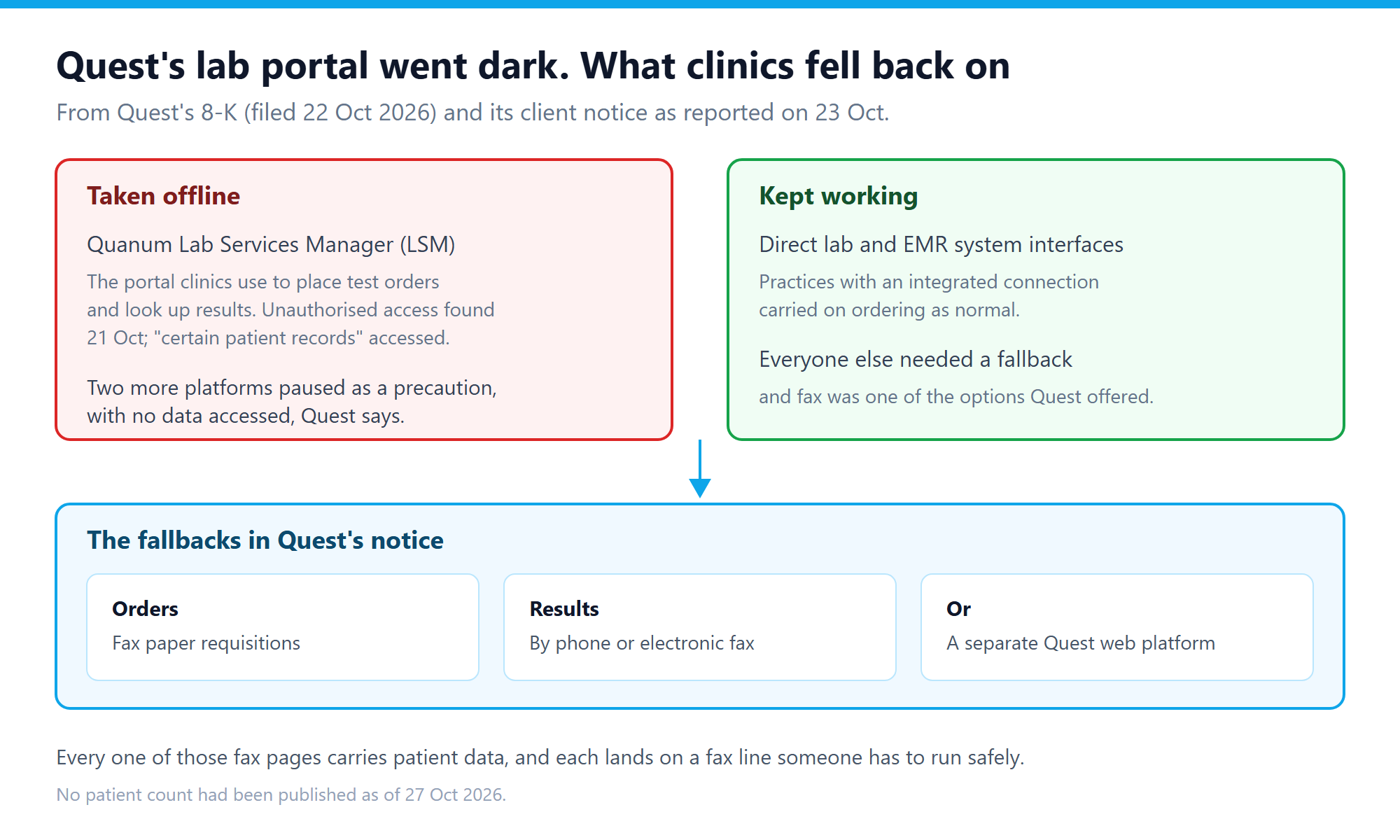
Quest’s Form 8-K, filed on 22 October, is short. It says the company learned of unauthorised access to its Quanum LSM system on 21 October, that the system is used by certain clients “to place test orders, receive and look up results”, that federal law enforcement has been told and outside experts brought in, and that an unauthorised party accessed certain patient records. It also says the incident hasn’t materially disrupted Quest’s business. It doesn’t give a patient count, and none had been published when we wrote this.
The 8-K says nothing about fax. That detail comes from Quest’s incident notice and FAQs for clients, as reported on 23 October: providers could use an alternative online platform or fax paper orders to Quest, and results stayed available through that alternative platform, by telephone or by electronic fax. Practices with a direct connection between their own lab or EMR system and Quest weren’t affected by the outage. Quest also paused two other platforms as a precaution and says no data was accessed in those.
Why the fallback is the risky part
Think about what a week like that looks like from the receiving end. Requisitions that normally go through a portal with logins and audit trails now arrive as fax pages, from many practices at once, in a hurry. Results that normally sit behind a login now go out to fax numbers. Each of those pages carries a name, a date of birth and often a diagnosis code.
Nobody’s doing anything wrong here. It’s the right call to keep orders flowing. But the HIPAA rules don’t relax because you’re under pressure, and the classic fax failures all get more likely when volume jumps and people are working from an emailed list of temporary numbers. The most common is the misdialled number, and a busy fallback week is exactly when it happens. Our guide to running a HIPAA compliant fax server covers the basics.
There’s a phishing angle too, and it’s worth saying plainly. When a well-known lab is in the news telling clinics to send faxes, an email saying “Quest has a new fax number for orders” looks very believable. Treat any number change you didn’t get through a channel you already trust as suspect until you’ve confirmed it by phone.
Five checks before the next portal outage
None of this needs new software. It needs an hour with whoever runs your fax server.
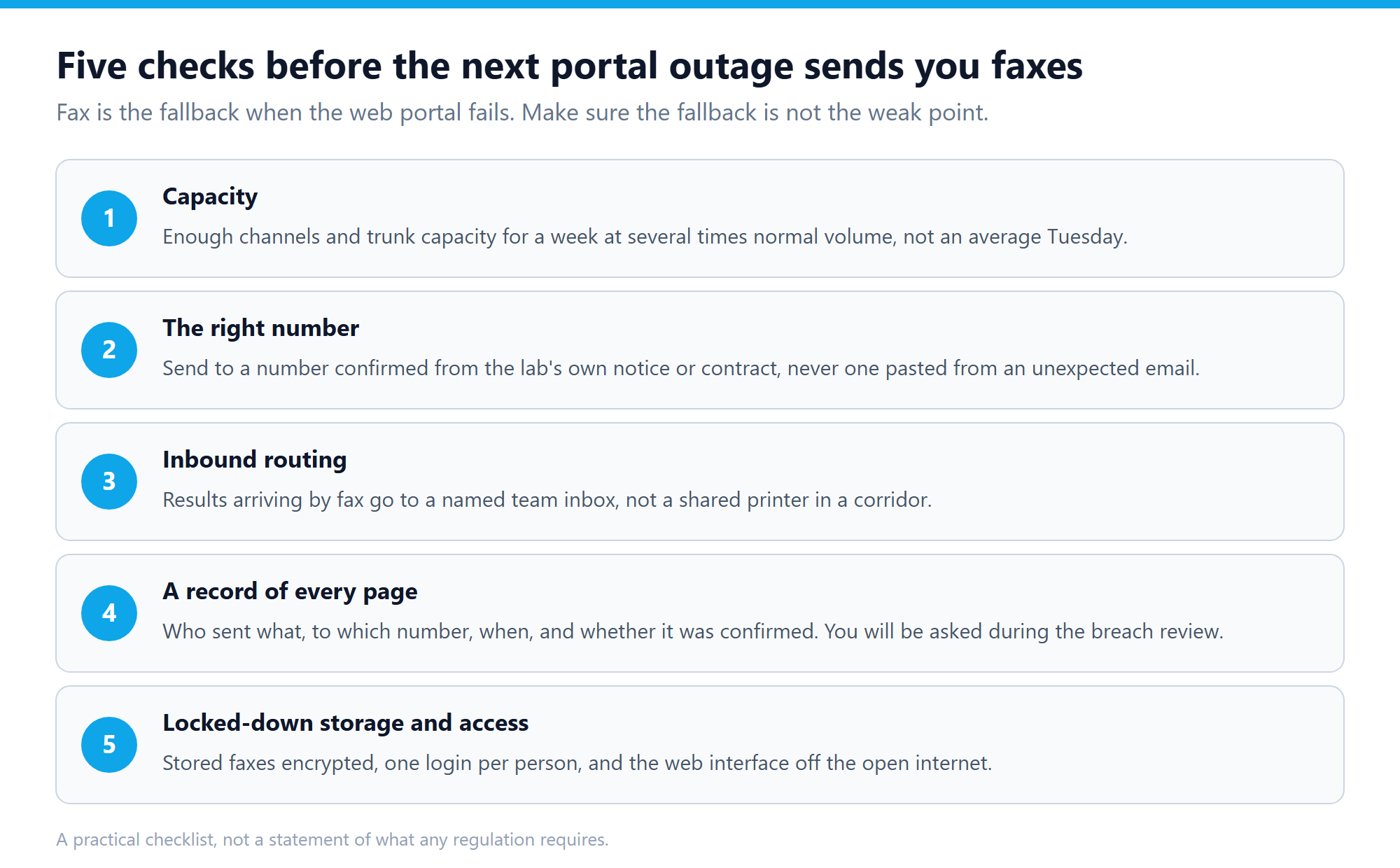
1. Capacity for a bad week, not an average one
Look at how many channels your trunk allows and how many your server is set to use. Then ask what happens at three or four times normal volume for five days. If faxes queue for hours, staff start sending from personal devices or online services, and that’s the leak you actually need to worry about. If you run over SIP, check that T.38 is working end to end, because retries from failed G.711 fax calls eat capacity fast.
2. Send only to numbers you’ve confirmed
Keep the lab’s fax numbers in your address book, taken from the contract or the lab’s own notice, and send from there. Don’t let staff type numbers from an email. If a number changes, confirm it by calling a number you already had.
3. Route inbound faxes to a named inbox
Results that arrive by fax should land with a team that’s expecting them, not on a shared printer. If your fax server can deliver inbound faxes to email or a web inbox per number, give the lab-results number its own destination and limit who can open it. Our email to fax guide covers the routing side.
4. Keep a record of every page
Who sent it, to which number, when, how many pages, and whether the far end confirmed it. If Quest’s investigation or your own breach review asks what patient data went where during the outage, that log is your answer. Without it, you’re guessing, and guessing turns a non-event into a notification.
5. Lock down storage and access
Stored faxes should be encrypted at rest. Everyone should have their own login, not a shared front-desk account. And the fax server’s web interface shouldn’t be reachable from the open internet. Put it behind a VPN or an IP allowlist. That matters more than usual this week, because a critical PHP flaw called PHP2Shell was patched on 21 October and is already being exploited. If your fax web interface runs on PHP, check that it’s on a patched version or kept off the internet entirely.
Where a self-hosted fax server fits
Quest’s outage also shows the general point. When a supplier’s portal goes down, you’re left with whatever channel you still control. A fax server you run yourself, like ICTFax, doesn’t go offline because someone else’s portal was breached. It keeps the pages, the logs and the access rules on your own systems, and it handles email to fax, inbound fax delivery and T.38 over your own SIP trunk. That doesn’t make it safe by default. You still have to run it well, which is what the five checks are for.
If you’re setting one up from scratch, the ICTFax installation guide walks through it, and there’s also a Docker image if you’d rather start there.
FAQ
Was Quest’s fax service breached?
No. The breach was in Quanum Lab Services Manager, Quest’s web portal. Fax was one of the fallbacks Quest offered while the portal was offline. Nothing published so far says any fax system was involved.
How many patients were affected?
Quest hadn’t said as of 27 October 2026. Its 8-K says only that an unauthorised party accessed certain patient records and that the investigation is continuing.
Do HIPAA rules change during an outage like this?
No. The same Privacy and Security Rule duties apply whether a requisition goes through a portal or a fax machine. What changes is the risk: more volume, more hurry and more unfamiliar numbers.
Should we stop using fax for lab orders?
Not because of this. The breach was in a web portal, and fax was the backup that kept orders moving. The point is to run your fax line as carefully as you’d want the portal run, because some weeks it carries everything.
What should we do if we get an email with a new Quest fax number?
Don’t use it until you’ve confirmed it by phone, using a Quest number you already had. Scammers follow the news, and a known lab telling clinics to fax is an easy story to copy.